
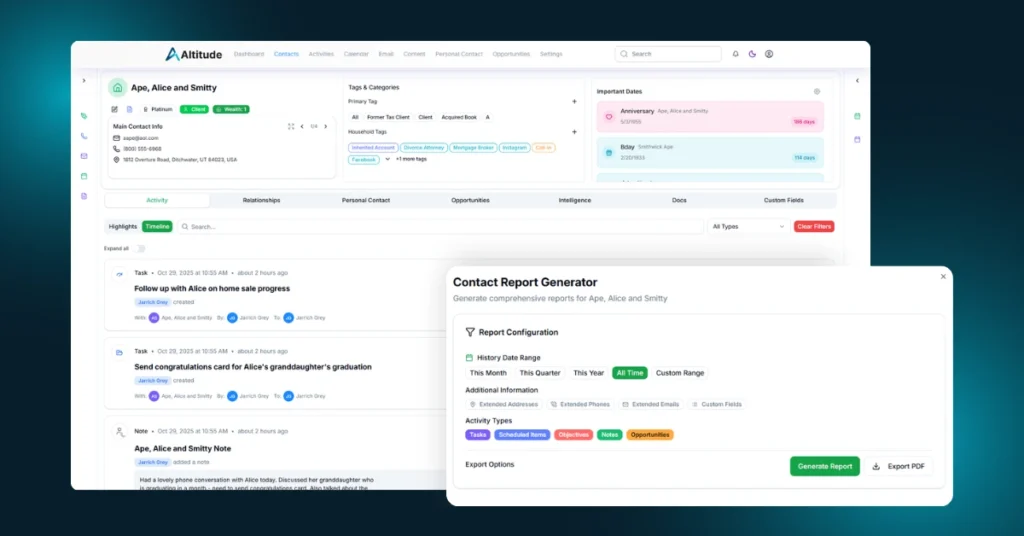
This month has been a busy one for the Altitude team. Since our last in-app update, we’ve made more than seventy unique additions to the platform across refinements, enhancements, and foundational work. Some of these updates are part of larger releases that will reveal their full impact in the coming weeks.
Altitude is growing quickly, and with this release, we’re focused on giving financial advisors more visibility, control, and flexibility across every workspace.
What’s New
Profile Report in Contact Detail
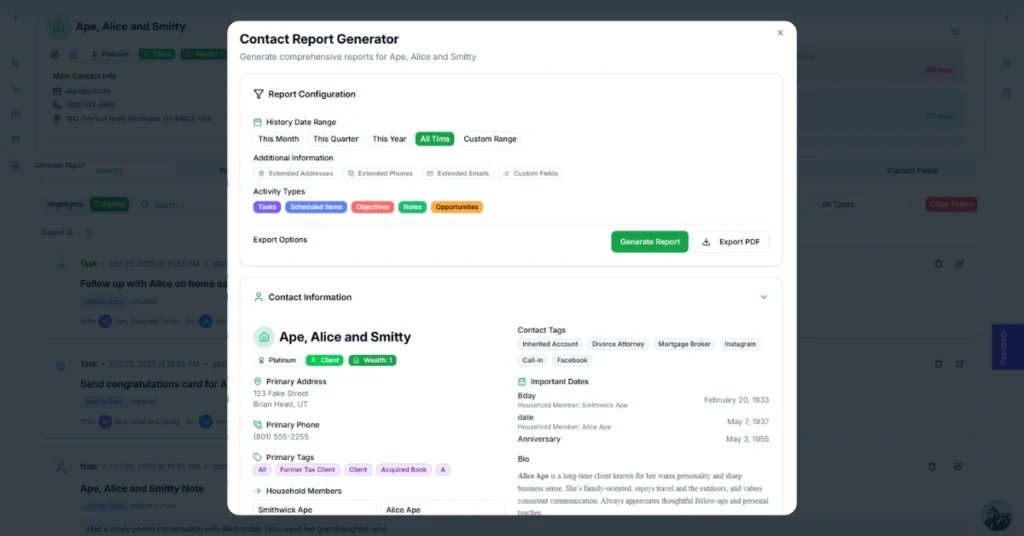
A new Profile Report is now available in the Contact Detail Workspace under Quick Actions.
This report compiles every interaction tied to a household into a clear, printable format, making it easy to prepare for meetings or review communication history at a glance.
Some reports can be quite detailed. Soon, Pathfinder AI will be able to summarize this data for quick meeting prep and strategic insights.
Calendar Improvements
You can now print your calendar directly from Altitude and create activities that span multiple days. Calendar usability has been enhanced, making it easier to update meeting statuses and find key details such as phone numbers and Zoom links.
Two-Factor Authentication Refinement
We’ve refined our Two-Factor Authentication (2FA) process to improve both security and ease of use.
Contact Management and Lists
A new List Management section has been added to Settings under Contact Management. This gives teams more flexibility when organizing and segmenting their data.
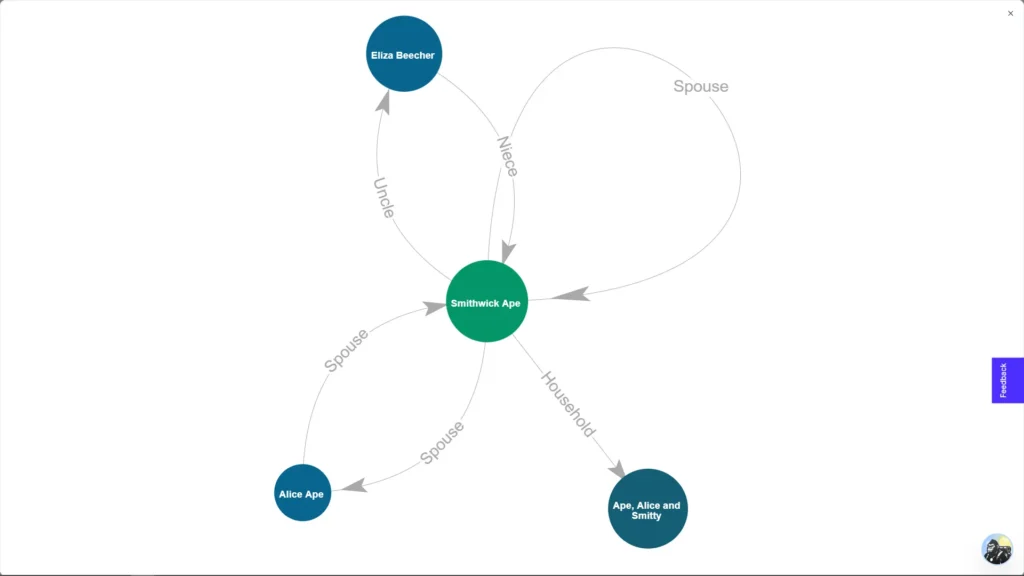
Relationship Mapping in Full Screen
The Relationship Mapping Tool can now be viewed in full-screen mode when using Visual view. This update makes it easier to explore complex client and professional networks.
To access it, navigate to Contact → Relationships → Visual.
Activity History Enhancements
Activity History within Contacts now includes a toggle for expanding or collapsing all items, making it faster to review notes, tasks, and emails.
You can also update the status of tasks, events, and other activities directly from Contact History.
Sorting by Last Contact Date
You can now sort by Last Contact Date in the Contact List view. The field updates automatically based on your interaction types, including calls, personal contacts, and more.
Meeting and Calendar Fixes
Recurring meetings and edits to individual events now work more smoothly. These refinements ensure consistent scheduling and fewer sync conflicts.
Coming Soon to Altitude
Custom Fields
Custom Fields are almost ready. This powerful new feature gives you complete control over your client data. You will be able to create sections and fields for profile, financial, and personal information, all of which will be searchable, filterable, and easy to manage.
If you are familiar with Gorilla Worksheets, you’ll recognize the concept. You’ll be able to save, load, and reuse your own field libraries, with pre-built templates available for common profiling needs. Pathfinder AI will begin using Custom Field data later this year to generate smarter summaries and recommendations.
Automation Library
The Automation Library is in its final stages and is expected to go live within the next 7–10 business days. It will enable you to run both pre-built and custom automations inside Altitude, streamlining workflows and saving valuable time.
Calendar Sync
We are finalizing Calendar Sync and are now seeking Beta Testers. If you would like early access and want to help us fine-tune it before release, please contact our team.
Looking Ahead
This update represents a turning point in Altitude’s evolution. Financial advisors now have deeper insights through reporting, more flexibility in managing relationships, and more control over how data is organized and displayed.
With Custom Fields, the Automation Library, and Calendar Sync on the horizon, the foundation is stronger than ever for what comes next.
Thank you for continuing to climb with us. The summit is closer with every release.