
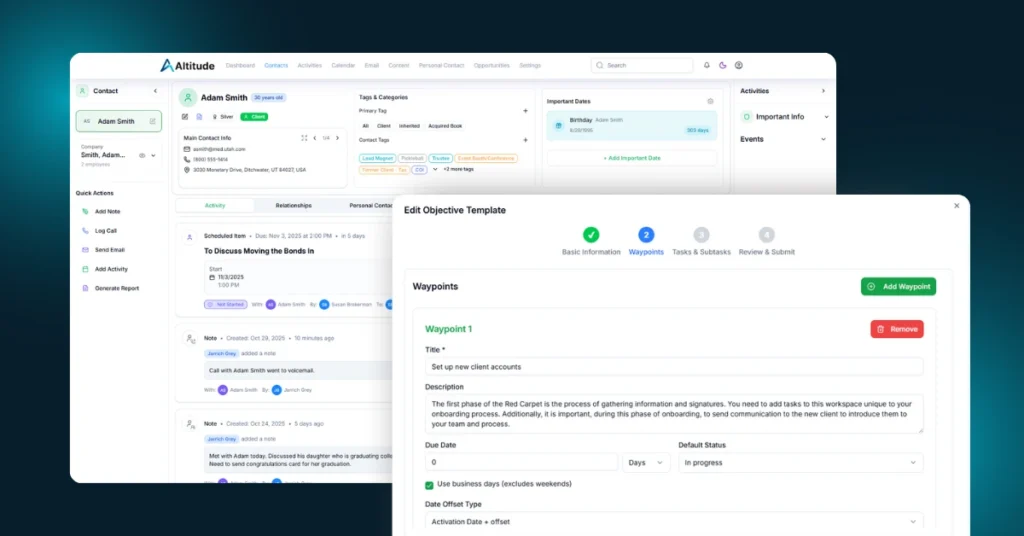
This rollout delivers meaningful gains across performance, collaboration, and automation. The focus this cycle was speed, clarity, and removing friction from the work advisory teams do every day.
From major infrastructure upgrades to new integrations and role-based workflows, Altitude continues to move quickly toward a more connected and intelligent platform.
Platform Performance
Altitude is Faster
Last week we rolled out a large update that redesigned how Altitude interacts with the database. This touched a surprising amount of the platform and resulted in meaningful speed improvements across the board.
Everything from loading contact lists, rendering timelines, searching, and navigating the calendar should now feel noticeably quicker and more responsive. This was a big architectural change and lays important groundwork for the features we are building next.
You should feel this one.
Altitude Integrations
Zapier Integration Now Available
Altitude CRM now integrates with Zapier, opening the door to automation with thousands of applications. This allows teams to connect Altitude to the rest of their tech stack with ease.
Current capabilities include:
- List management for email platforms like Mailchimp, Constant Contact, and ActiveCampaign
- Contact-based triggers using names, emails, tags, status, and other properties
- Automated data sync between Altitude and external tools
We are actively expanding Zapier functionality based on real-world use. If you have specific triggers or actions you need, reach out to support and let us know what you are building.
Charles Schwab Integration Progress
We have made strong progress on the Schwab integration. Advisors who custody with Schwab and want early access can reach out to support to participate in testing. Early feedback helps us ensure the integration works the way advisors expect in practice.
Built-In Support
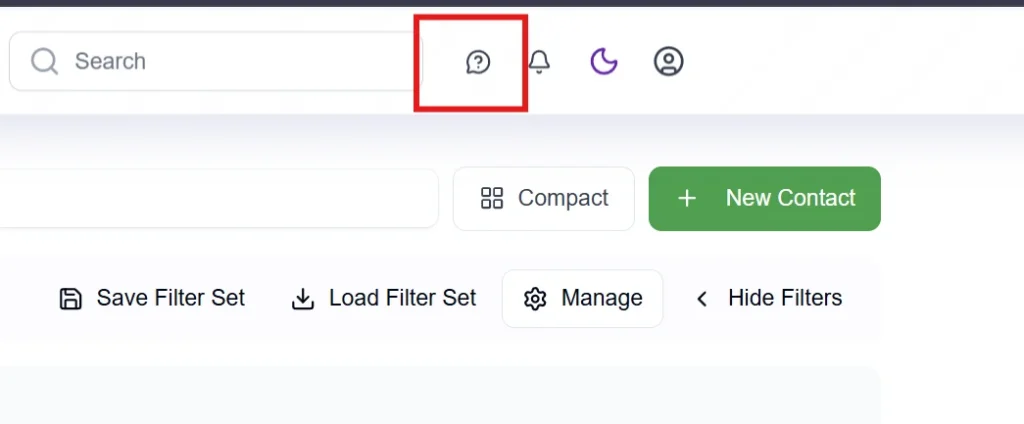
Altitude includes built-in access to live support, documentation, AI chat, and video tutorials through the Help icon in the top-right corner of the platform.
We have also added a News section inside Help so you can easily revisit product updates at any time.
Teams & Roles
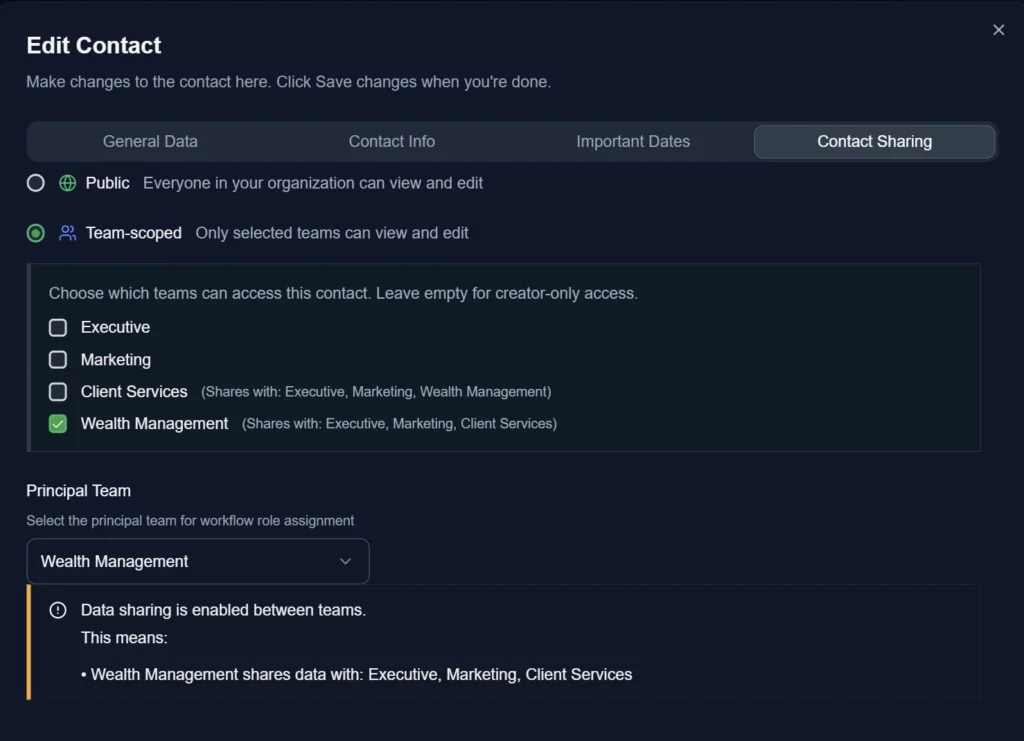
Clear Ownership With Principal aPrincipal and Secondary Teams
You can now assign a principal team and optional secondary teams to each contact.
The principal team appears directly in the contact detail view and is automatically used when workflows assign work. This makes ownership and responsibility much clearer without guesswork.
Role Management
We introduced a full role management system under Settings.
There are default roles that match how advisory firms actually operate, including:
- Financial Advisor
- Service Advisor
- Para Planner
- Relationship Manager
- Client Service Associate
- Sales Associate
- CRM Operations Specialist
You can also create custom roles to match your firm’s structure. Roles can be assigned tenant-wide or per team.
Role Visibility
The user management table now includes a Roles column so you can clearly see how each team member is set up. The previous Roles column was renamed to Type to avoid confusion.
Calendar
Overdue Tasks in the Calendar Panel
There is now a Show Overdue Tasks toggle in the calendar task panel, next to Show Completed Tasks.
When enabled, overdue tasks appear below the current week so you can spot what needs attention without switching views.
Letters
Birthday Letters Sort by Birth Date
When generating large batches of birthday letters, they now sort by birth date. This makes printing and mailing much easier.
Improved Letter Spacing
We fixed table sizing issues so addresses and signatures stay consistent between the editor and PDF output.
Letter Timeline Accuracy
Sent letters now reliably appear in the activity timeline so your history reflects what actually happened.
Notes
Quick Notes Can Count as Last Contact
When creating a quick note, you can now mark it as Count as last contact. This lets notes register as real touchpoints alongside calls, emails, and meetings.
Opportunities
Due Dates Display Correctly
Fixed an issue where opportunity due dates were showing incorrectly in the contact-level view. Dates now stay consistent everywhere.
Workflows
Workflow Templates Respect Their Own Statuses
Objectives, Waypoints, and Tasks created from workflows now use the default statuses defined in the template. This prevents tasks from switching to Scheduled or other statuses when that was not intended.
Waypoint Date Calculation Fixed
Waypoints configured to start after a prior task completes now calculate their due dates correctly based on the actual completion date.
Tags
Batch Tag Assignment Restored
Bulk tag assignment is available again. You can now select multiple contacts and apply tags in a single action.
Looking Ahead
This update focused on speed, clarity, and collaboration. Many of these changes remove small points of friction that add up during daily use.
Behind the scenes, work continues on Notifications, Pathfinder Plus, Meetings, Altitude Bookings, and the new Letter Editor. The pace is strong, and a lot is coming together at once.
Thanks, as always, for the feedback and for growing with us.