
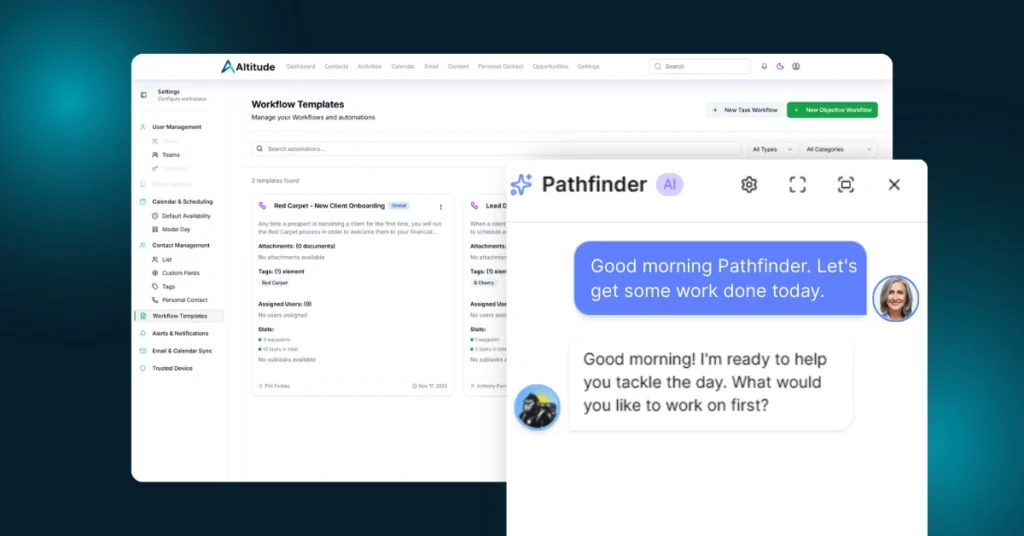
Some releases add new buttons. This one changes how the work moves.
This week we put real weight behind three areas that show up in an advisor’s day over and over again: team roles, Pathfinder intelligence, and the small workflow details that keep you moving without breaking focus.
What’s New in This Release
Workflows and Automation
Role-based assignment is now part of workflow templates.
Instead of hard-picking a person every time, you can assign an activity to a role. Example: route a task to whoever holds “Client Service Associate” on the principal team. If a team does not have that role filled yet, Altitude will prompt for a one-time assignment at execution. The result is workflow templates that travel cleanly across teams and contact types.
Workflow hierarchy now mirrors your actual design.
Waypoints and tasks display in the intended sequence, so the workflow reads the way you built it and runs the way your team expects.
Pathfinder Intelligence
Personal contact detection is sharper and more natural.
Pathfinder now recognizes more real-world language like “I called,” “we met,” “had lunch,” “grabbed coffee,” and “they came by,” then suggests the right personal contact event type so records stay current without extra admin work.
Contact bios are now part of the answer.
When you ask questions about a contact or household, Pathfinder can reference bio information to provide more complete, more personal responses.
Pathfinder notes are logged to the contact record with clear attribution.
When Pathfinder adds data to a household or contact, it is recorded as coming from Pathfinder, so teams have clean visibility into what was added and where it came from.
User Management
Assign roles during user invitation.
New team members can be invited and assigned roles in the same step, so onboarding starts with the right access and the right responsibility from day one.
Assets and Accounts
Individual accounts now roll up to the household.
Accounts tied to individuals now appear on the household Assets tab, so you can see the full household picture without bouncing across multiple records.
Activities
Attach files while editing an activity.
You can now add attachments directly from the edit screen, saving steps and keeping you in motion.
Recurring event updates now follow the Outlook pattern.
When you change a recurring series, Altitude updates the series in a way that keeps the calendar clean and predictable, matching what teams are used to in Outlook.
Relationships
Relationship settings are now configurable.
You can now support relationship directions that fit real-world use cases, including relationships like “Employee of,” where your preferred direction may differ from defaults.
Development Velocity
This week: 18 updates shipped
Prior week: 17 updates shipped
Momentum stays strong, and the work is landing where it matters most: workflows that adapt to teams, intelligence that reads like a human, and day-to-day actions that take fewer steps.
Our team continues to maintain strong momentum while focusing on features that directly impact your daily workflows and make Altitude faster and more intuitive. This does not include work that was completed on unreleased features.