The new year is off to a strong start inside Altitude. This release focuses on refinement, clarity, and control — the kind of improvements that quietly make everything work better when you’re in the platform every day.
From workflow building to service tier management to a fully rebuilt letter editor, this update continues our push toward a more intuitive, scalable system for advisory teams.
Improvements and Enhancements
Timeline dates that match how you think
Timeline cards now reflect the view you are using. When sorting by created date, cards show created dates. When sorting by due date, they show due dates. Items without a due date, such as notes, default to created date. The timeline now behaves the way you expect without extra mental math.
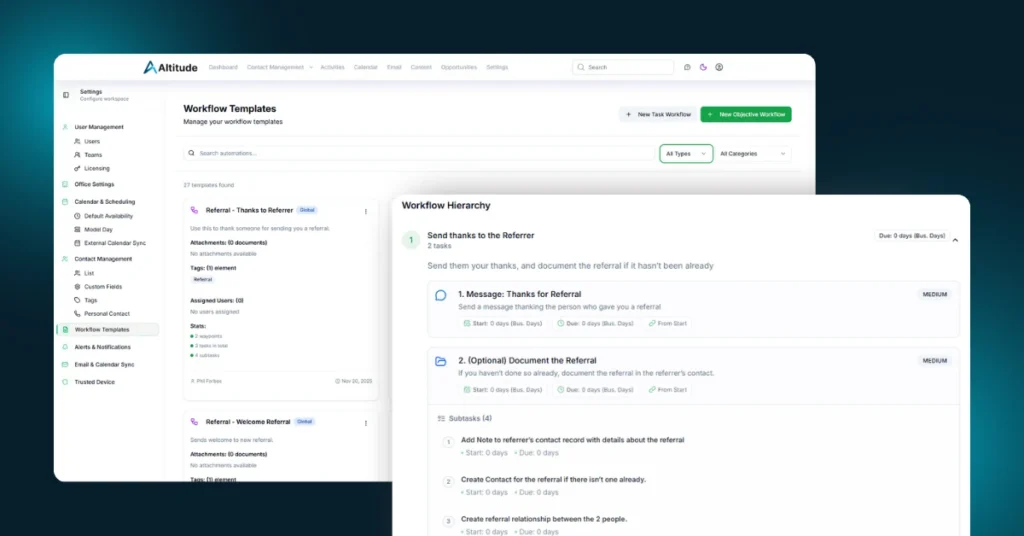
Full-screen workflow building
The Workflow workspace can now expand to full screen. This gives you the space you need to design, review, and refine workflows without fighting the layout.
Clearer task event labeling
The generic task event type has been renamed to General. This small change reduces confusion in activity history and reporting and makes task data easier to interpret at a glance.
Mass service tier updates
You can now update service tiers in bulk directly from the Contact list. Select multiple contacts or households, choose a new tier, and confirm the change with a clear before-and-after prompt.
Custom service tier ordering
Service tiers are now fully configurable. Drag and drop them into the order that reflects how your firm operates. That order is respected everywhere tiers appear across Altitude.
Scheduled tasks update themselves
When a task is scheduled, its status now automatically updates to Scheduled. No extra cleanup required.
Saved filters for Opportunities
Opportunities now support saved filters, just like Contacts. Teams can standardize views and return to them instantly without rebuilding filters each time.
Activities list remembers your preference
Altitude now remembers your preferred page size in the Activities list on that computer. If you like seeing more items at once, you only need to set it once.
Clearer opportunity search
The Opportunity search field now displays with a visible input border, making it easier to spot and use.
Assets can trigger workflows
Workflows can now be launched directly from an Asset detail screen. This makes asset-driven processes practical and ties planning and execution together more tightly.
Notes now support comments
Notes can now include comments for added context and collaboration. Replies are limited to one level to keep discussions readable and focused.
Bug Fixes and Reliability Improvements
- Improved email-to-contact matching so capitalization no longer breaks linking
- Fixed one-day events appearing as two-day events on the calendar
- Ensured private note attachments respect visibility rules
- Resolved Content Library errors related to access and licensing
- Updated menu structure to support additional workspaces while keeping unreleased features hidden
- Fixed reports displaying incorrect address data
- Resolved email sync issues affecting certain firm email addresses
- Improved Pathfinder behavior so opening it does not close other dialogs
All-New Letter Editor
This release includes the rollout of a completely rebuilt Letter Editor, marking a major step forward in how letters are created, managed, and reused inside Altitude.
A rebuilt editing experience
The new editor gives you more control and flexibility when writing letters and sets the foundation for a better letter experience moving forward.
Adjustable paginated layout
You can now control page spacing, margins, and header spacing so printed output looks exactly the way it should.
Create templates from existing letters
Any letter you are writing can now be saved as a reusable template without starting over.
Letter workspace stability restored
The Letters workspace is back to behaving consistently, including applying templates and using tabs and filters as expected.
Looking Ahead
This update is about removing friction and giving teams better control over how they work. Small improvements compound quickly when they touch workflows, service models, reporting, and communication.
We are continuing to refine the core of Altitude while pushing forward on larger initiatives already in motion. The foundation keeps getting stronger, and the system keeps getting smarter.
Thank you for continuing to grow with us. The year is just getting started, and there is a lot more ahead.