RMD Management
End the RMD scramble.
Plan, track, and execute every client's Required Minimum Distributions from one workspace, without the spreadsheet gymnastics or the year-end panic.
Plan it once.
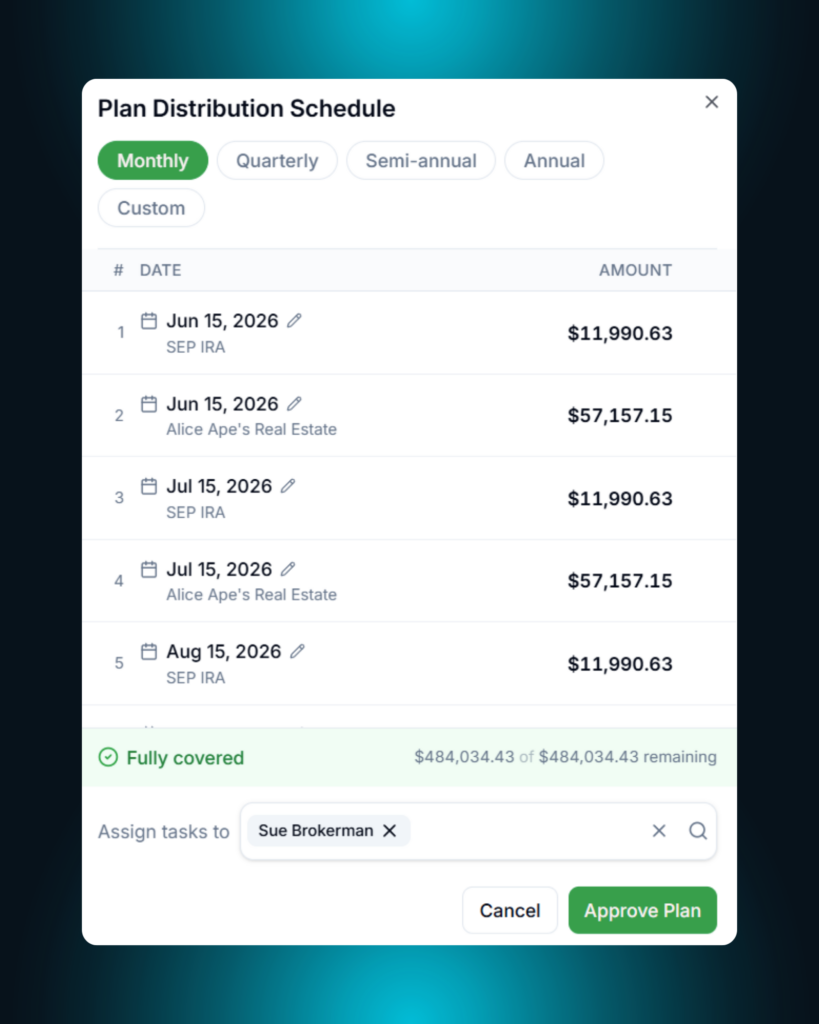
Auto-generate a draft payout schedule for every RMD-eligible client. Monthly, quarterly, semi-annual, or annual.
Track it live.
Every plan self-heals. Record a distribution, skip one, delete one, and upcoming payouts rebalance automatically.
Execute in bulk.
Generate plans, approve plans, and record distributions for an entire book of business in a few clicks.
Plan Generation
Stop building the same spreadsheet every January.
Altitude reads each client’s remaining balance, frequency preference, and applicable deadline, then drafts a payout schedule that actually reflects what’s owed. Not what was owed at the start of the year. What’s owed today.
Recommends a schedule.
Auto-generates a draft RMD plan across monthly, quarterly, semi-annual, or annual cadences. Your call.
Splits across obligations.
Distributions divide proportionally across IRAs, 403(b)s, and other qualified accounts per client.
Plans against what's actually left.
Math runs on [Required – Distributed] so a mid-year plan never double-counts what’s already been paid out.
Approval & Execution
Approve once.
Altitude handles the rest.
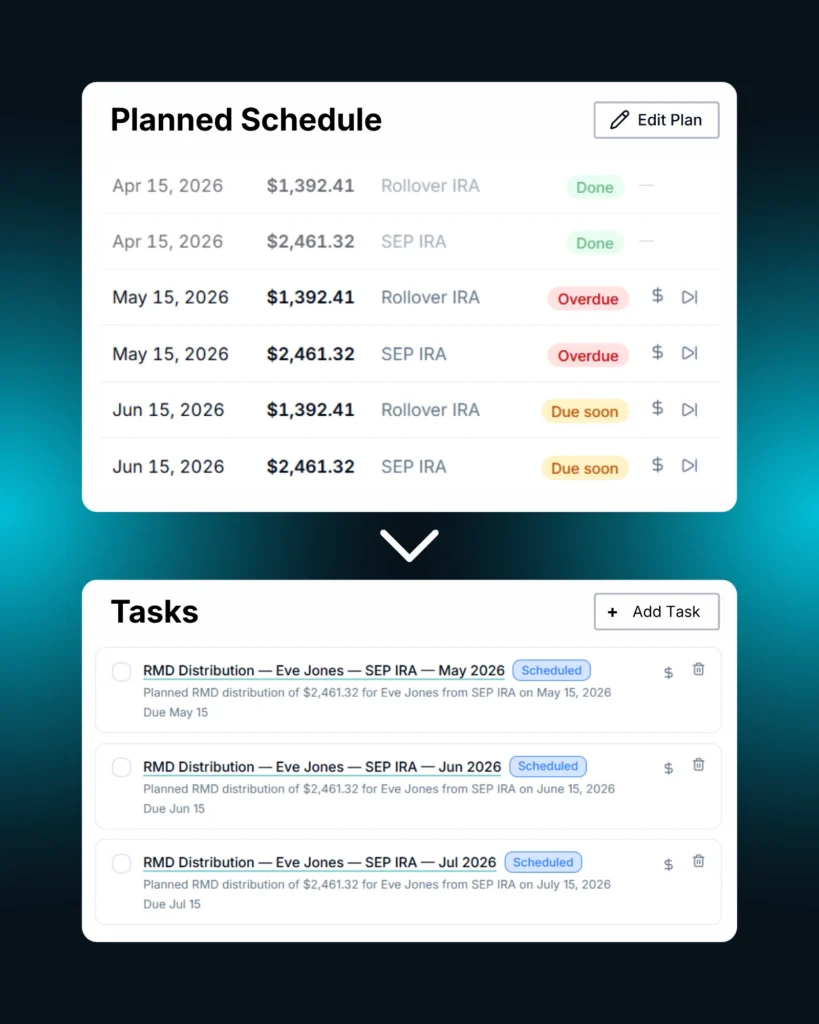
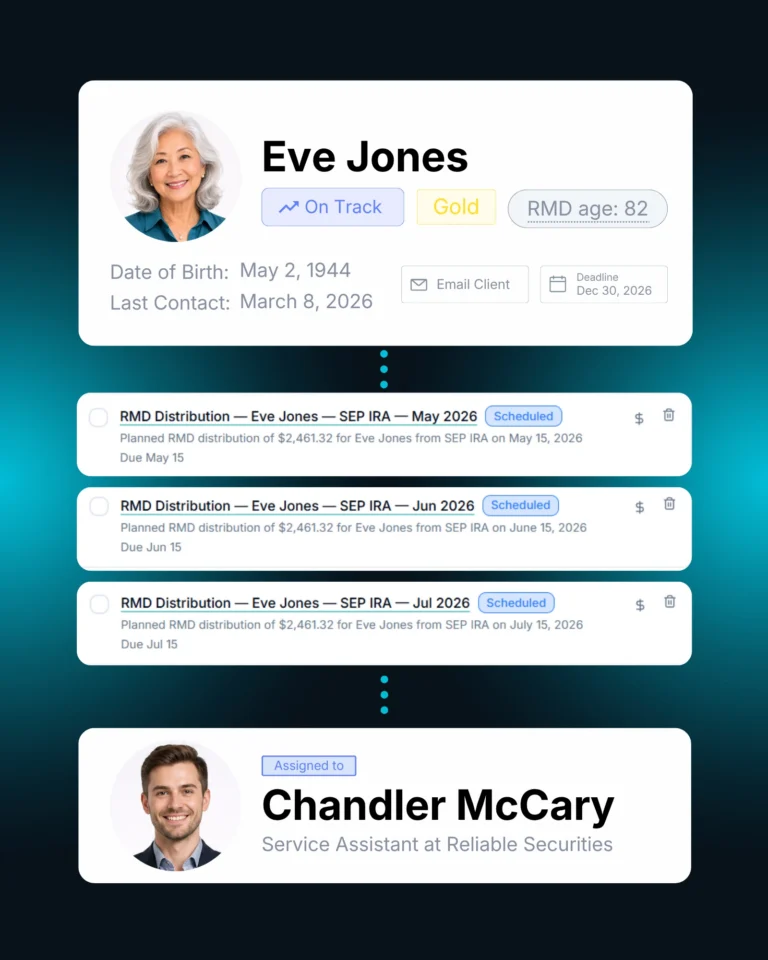
Approving a plan turns every scheduled payout into a linked task with a due date and a reminder. No re-keying. No separate tickler system. Just a clean execution path from “plan approved” to “distribution recorded.”
One-click approval.
Approve a plan and Altitude builds a Task for every scheduled distribution. Owner, due date, and all.
Self-healing plans.
Record, skip, or delete a distribution and the rest of the plan rebalances in real time.
Smart distribution linkage.
When you record a distribution, Altitude proposes the right scheduled payout to link it to (matched by obligation, date window, and amount).
RMD Dashboard
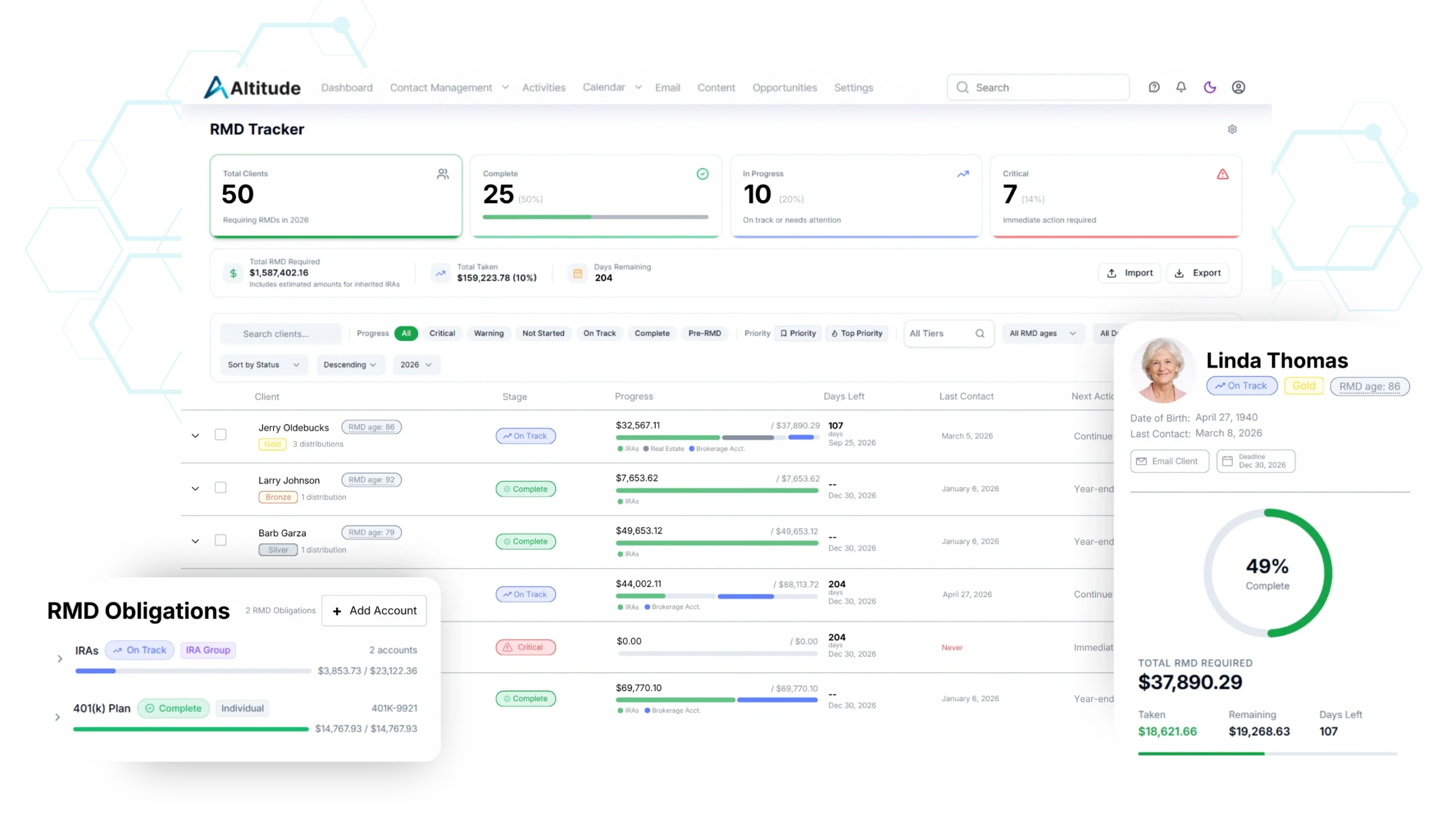
One screen. Every client. Every status.
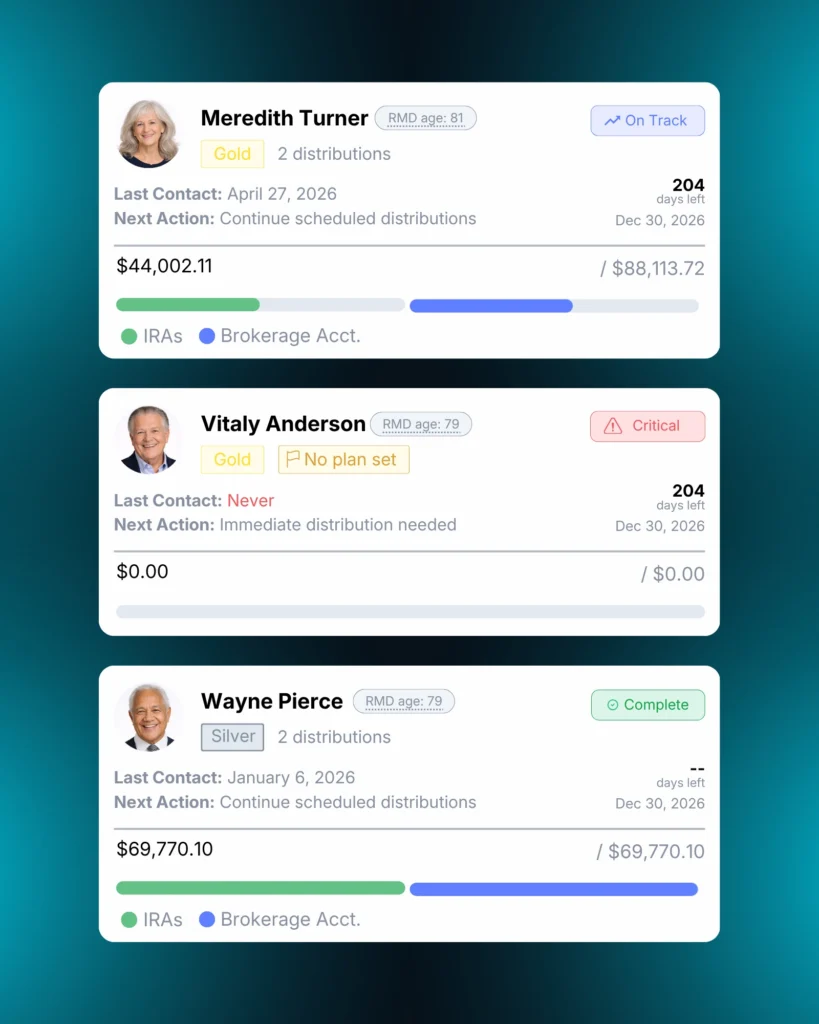
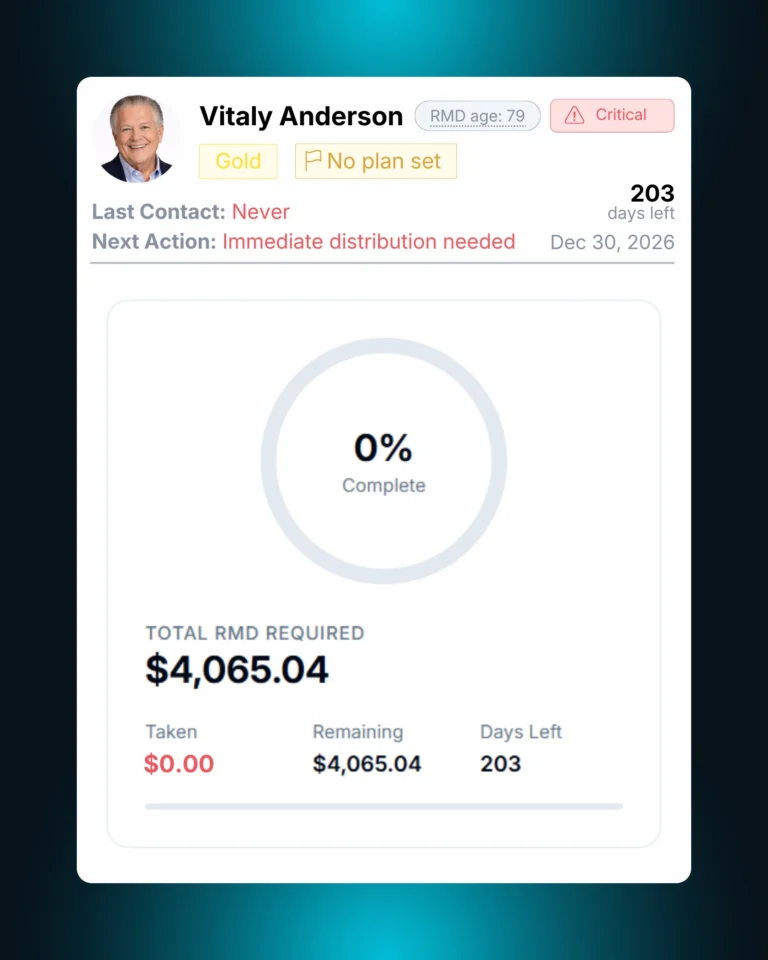
Open the dashboard and see your entire book of RMD-eligible clients ranked by status. Critical clients surface first. On-track clients fade into the background. The work is right where it needs to be.
Live status indicators.
Every client carries a derived status (Not Started, On Track, Warning, Critical, or Complete) calculated against the live deadline and the live distribution total.
CSV in, CSV out.
Onboard RMD-eligible accounts via CSV upload. Export the dashboard for compliance, audit, or external reporting.
Deadline overrides.
Override IRS defaults when a client’s situation calls for it. First-year deferrals, inherited IRAs, special cases.
Batch Actions
Work the whole list.
Not one client at a time.
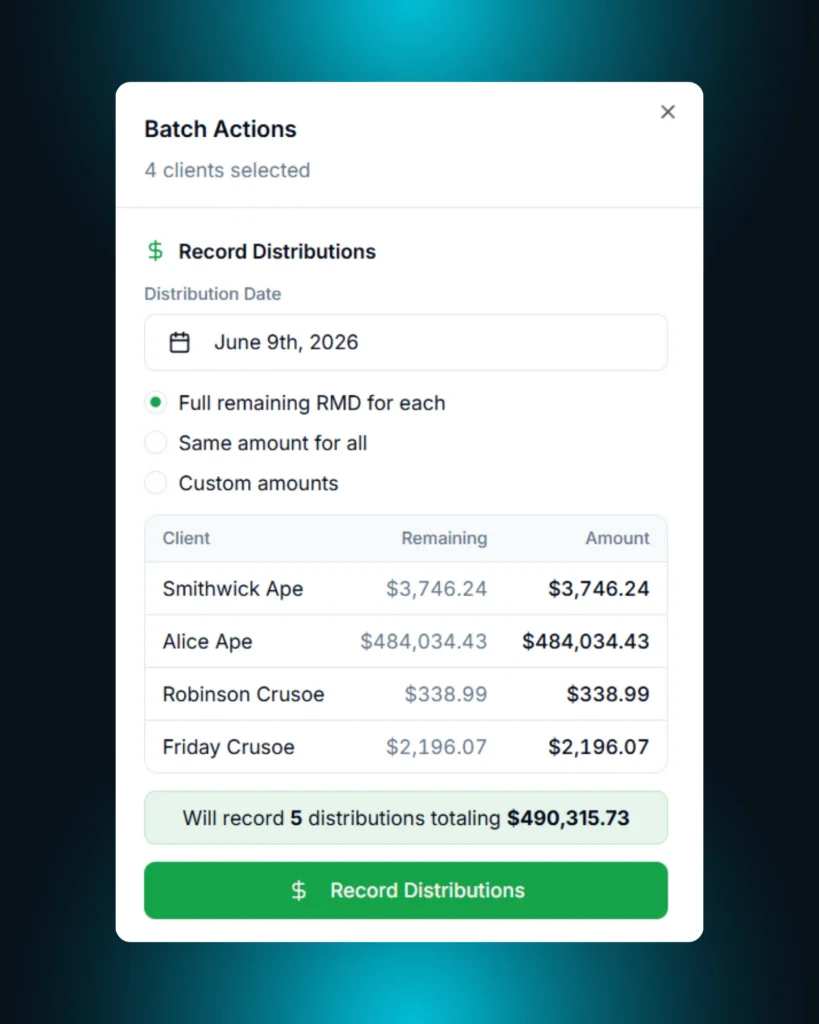
Multi-select clients from the RMD dashboard and act on the whole group at once. Record distributions, send emails, generate plans, set priorities, or export. The same actions you’d take one client at a time, applied to hundreds.
Record distributions in one pass.
Select a date, confirm the clients, and post distributions for the entire selection. Altitude excludes pre-RMD clients automatically and tells you exactly how many distributions will record and for how much before you commit.
Send personalized emails at scale.
Compose one email with RMD merge fields and Altitude personalizes it for every client in the selection. Distribution amount, deadline, account, and more, pulled live from each client’s record.
Auto-plan an entire segment.
Generate and approve distribution plans for every selected client in one action. The same recommender that powers single-client planning, run across the whole list.
An Unrivaled RMD Experience
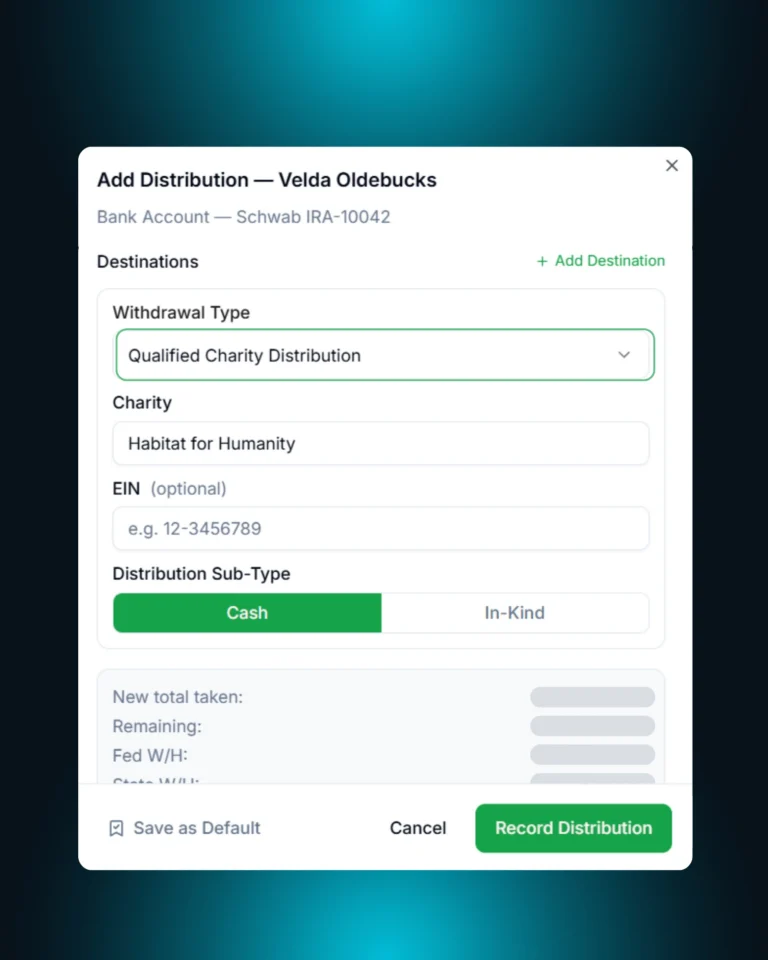
Classify every withdrawal at the source.
Tag Qualified Charitable Distributions, standard withdrawals, and custom subtypes the moment you record them, so categorization lands in the audit trail once, not at year-end.
Back every payout with an owned activity.
Scheduled distributions live as linked CRM Tasks tied to the client, the account, and the obligation, so nothing executes without an owner, a due date, and a reminder.
Catch the exceptions before they catch you.
Altitude auto-flags clients with missing obligations, unusual balances, or unresolved gaps and surfaces them for manual review before they become compliance problems.
Log every action automatically.
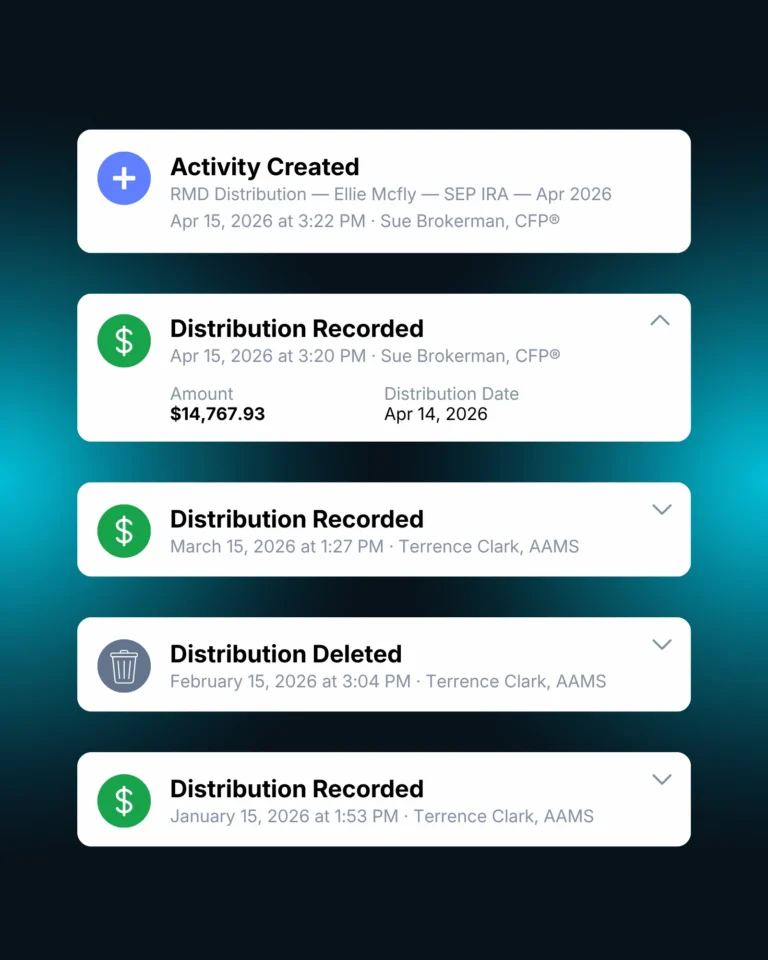
Every approval, distribution, skip, and deletion is timeline-logged with a user, a timestamp, and a reason, so the audit trail builds itself while you work.
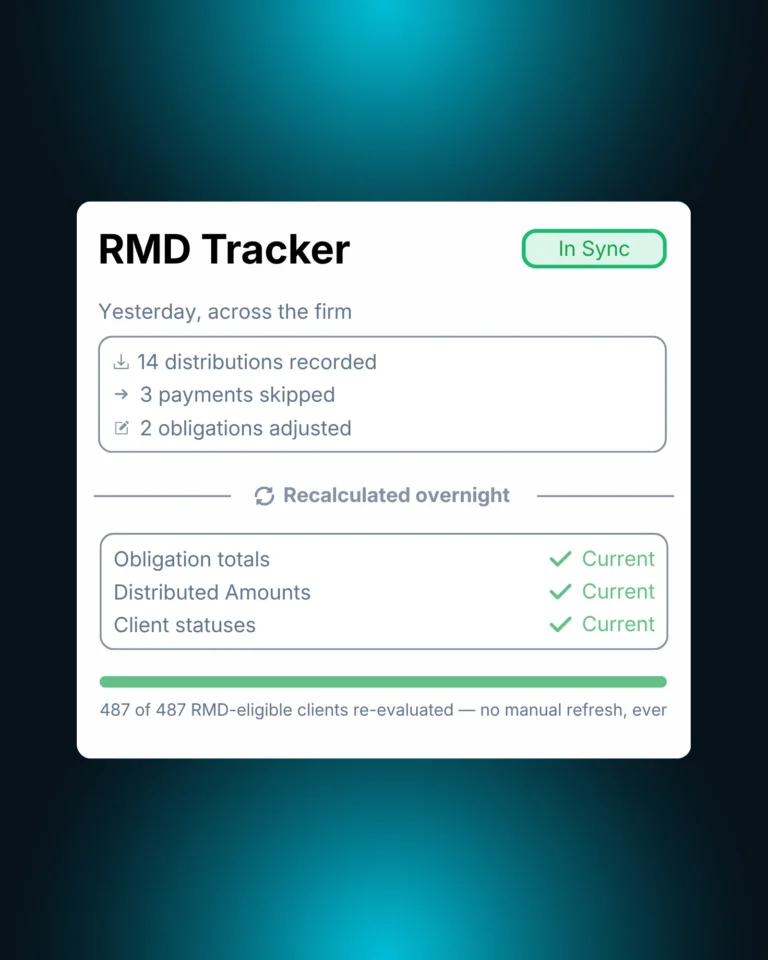
Always in sync automatically.
Altitude calculates each client’s RMD obligation once a year, updates statuses nightly across your entire book, and reflects distributions the moment they’re recorded. No manual refreshes. No stale data. Just an accurate picture of where every client stands.
Supercharge Your Practice
Ready to elevate your practice and take back your time? See how Altitude helps you work smarter, grow faster, and deliver standout service — all in one AI-native platform.
Pathfinder AI
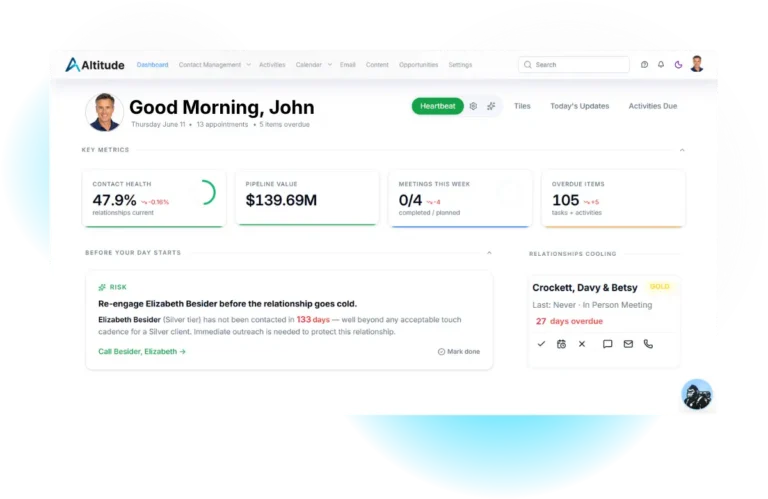
Ask Pathfinder which clients are behind on their RMDs, who’s approaching critical status, or who hasn’t been contacted about their distribution yet.
Meeting Intelligence
Capture RMD discussions in client meetings. Pathfinder+ auto-generates summaries and action items, and links them to the right contact.
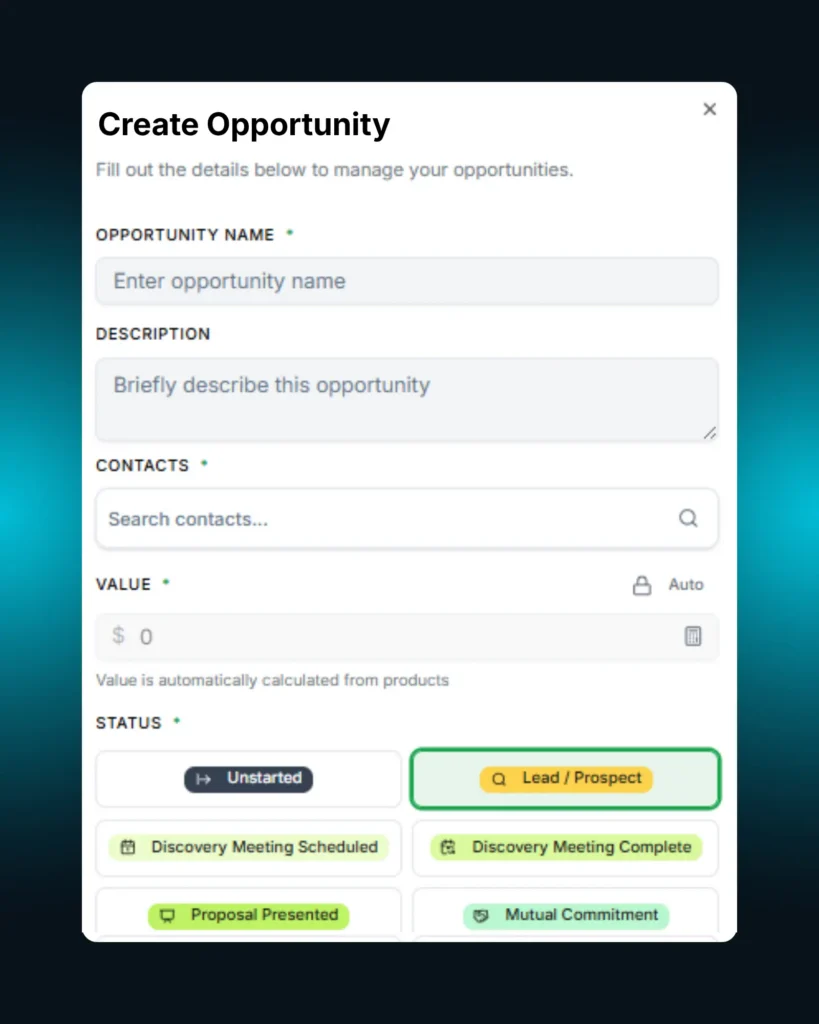
Opportunity Management
Surface every RMD client whose distribution conversation is also a planning conversation — Roth conversions, charitable giving, tax-efficient withdrawal sequencing.
Explore our entire platform, built specifically for financial advisors
What payout frequencies are supported?
Monthly, quarterly, semi-annual, and annual. Frequency is set per client and can be changed before plan approval.
What happens if a client takes a distribution outside Altitude?
Record it in Altitude when you find out. The plan rebalances automatically, and Altitude proposes the right scheduled payout to link it to based on obligation, date, and amount.
Can I override the IRS default deadline?
Yes. Deadlines can be manually overridden at the client level for special cases — first-year deferrals, inherited IRAs, and similar situations.
How does the workspace handle clients with multiple qualified accounts?
Distributions split proportionally across IRAs, 403(b)s, and other qualified accounts per client. The aggregate obligation drives the plan; the split happens automatically.
Can I generate or approve RMD plans in bulk?
Yes. The Batch Actions drawer lets you multi-select clients from the dashboard and generate, approve, or record distributions for the entire selection in one action.
Is there a way to bring existing RMD data in from a spreadsheet?
Yes. CSV import onboards RMD-eligible accounts in bulk. CSV export pulls dashboard data for compliance, audit, or external reporting.
Who on my team can use the RMD Workspace?
Financial Advisors plan and approve. Service Advisors and Client Service Associates execute scheduled payouts and record distributions. Firm Admins configure the workspace and lock records during processing cycles.
Bigger relationships.
The advisors who handle RMDs without panic are the same advisors who turn distribution conversations into planning conversations. Altitude makes both easier.